Plugging in is a small moment you see many times a day. Resurrected Remix lets you choose what happens: an animation that plays once when the charger connects, effects that keep running on the lock screen while you charge, and the numbers behind it all.
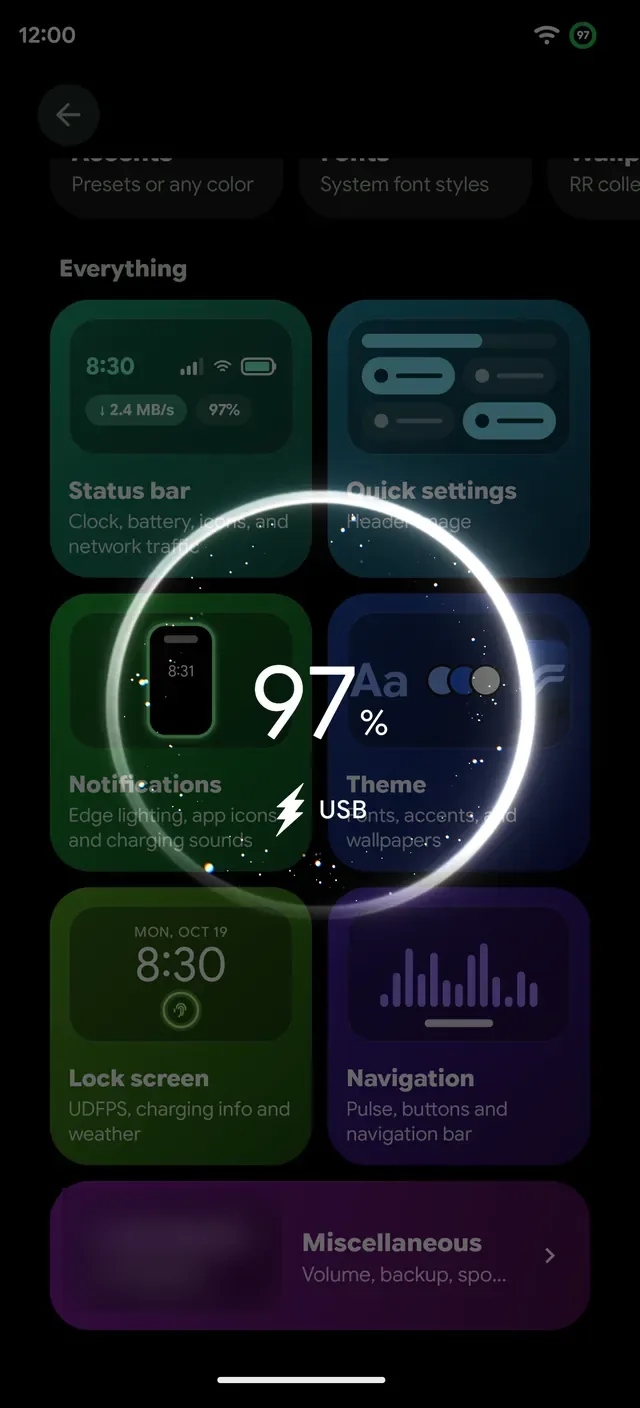
Charging animation
Remixer › Lock screen › Charging animation plays each style on a live stage drawn at phone scale. Step through them with the arrows, press Try on lock screen to see the real thing, then Apply. Off means nothing plays when you plug in.
Thirteen styles, in three tabs:
- RR. RR's own Neon revival, Defibrillator and Pulse ring.
- Makers. Pixel ripple from Android and SuperVOOC from OnePlus, RR-drawn takes on Samsung's One UI capsule, Xiaomi's HyperOS bubbles, vivo's OriginOS orb and Huawei's SuperCharge, plus Motorola's TurboPower and Nothing's Glyph ripple.
- Other ROMs. Flash, Glow pulse and Battery fill from BlissRoms.
OnePlus phones start on the SuperVOOC ring and other phones on Neon revival. Thanks to Jackeagle, rmp22 and Quince for the animation work RR builds on.
Fast charging you can see
Each animation has three speeds, Charging, Fast charging and Super fast charging, and RR picks one from how many watts your charger actually delivers. Phones declare their top speed, so the OnePlus 13 shows its 100 W SuperVOOC, and the labels say the same thing the animation does.
Lock screen effects
Lock screen effects keep going for as long as you charge. They come from Lunaris AOSP, by Ghosuto, and RR drives them from its own lock screen:
- Bubble stream, Neon spray, Beams and Plasma
- Quantum sparks, Nebula and Digital matrix
- Geoflow, and Image flow, which flows images across the screen
Show them on the lock screen, the always-on display or both, in green, your accent or rainbow, with their own opacity and glow.
The numbers
- Charging info. Current, watts, voltage and battery temperature on the lock screen while you charge.
- Charge reports. A history of your charging sessions.
- Screen-on time. Since your last full charge, on the lock screen and the Battery Saver tile.
Charging at night
Plug in at bedtime and Nightstand can turn the phone into a dim bedside clock, and your clock face can wobble once when the charger connects.