The volume panel appears every time you press a volume key, so Resurrected Remix gives it ten looks. Remixer › Miscellaneous › Volume shows each one drawn on your lock screen at phone scale, so you see it the way it will really look.
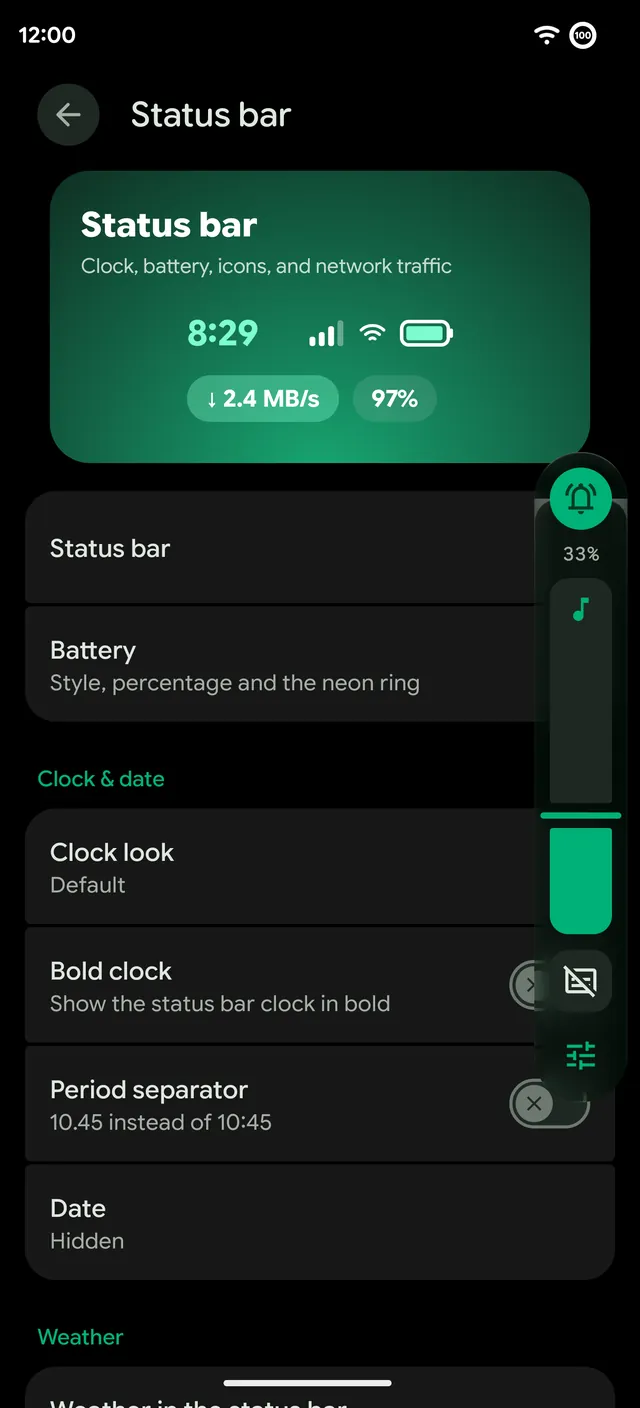
The looks
- Android. The stock panel.
- Neon. Dark, with a glowing accent outline.
- Glass. Frosted and see-through, and with Liquid Glass on it grows out of the volume key.
- Pill. One wide pill you drag, with no handle.
- Classic RR. Across the top of the screen, with an accent bar.
- Bento and Shapes. Match the Bento and Shapes Quick Settings looks.
- Blueprint. Thin outlines and line icons.
- Duo. The ringer and sliders in two shades.
- Soft. Solid, with soft outlines.
Options
Chips under the preview set which side the panel opens on, whether the ringer button shows, ticks along the sliders and a percent. Hide after sets how long the panel stays. Try it saves the look and shows the real panel, so you can press the keys and feel it.
Sound and calls
- A ringtone for each SIM. Give SIM 1 and SIM 2 their own ringtones in Settings › Sound & vibration.
- Clear Voice. Cuts background noise on calls, on the OnePlus 13 and 15, with a Quick Settings tile.
- The Volume tile. Set the volume from Quick Settings by dragging a tile. See Quick Settings.