Two features in Resurrected Remix work together so you can tell what's going on without looking at the screen: edge lighting draws a light around the screen's edges, and Haptic Remix gives calls, people and apps their own vibration rhythm.
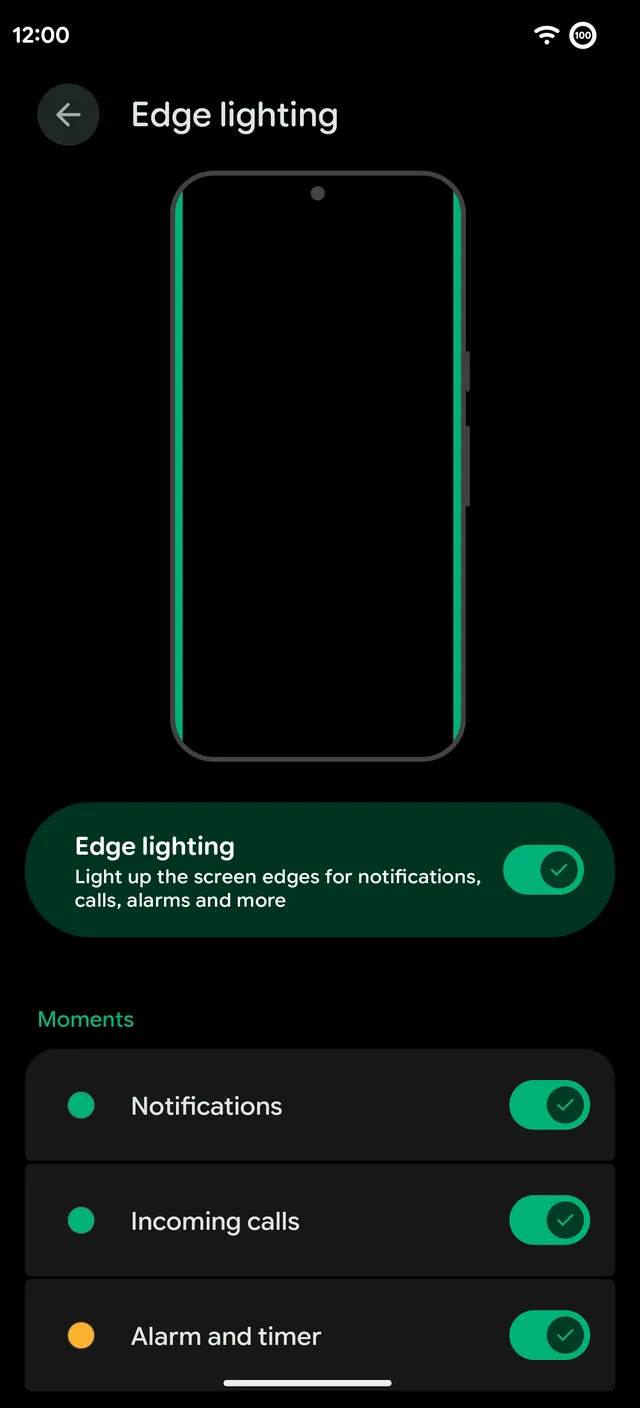
Edge lighting
The screen's edges light up for notifications, incoming calls, alarms and timers, and when you plug in, on the lock screen and the always-on display. Each of those moments can be on or off.
- Style. Two styles, one of them a frame around the screen.
- Animation. None, Breathing, Wave, Sparkle, Chase or Comet.
- Color. Your accent, the notification's own color, the wallpaper, a rainbow or a color you pick.
Haptic Remix
Haptic Remix lets you tap out your own vibration patterns and give them to calls, people and apps. Find it in Remixer › Miscellaneous.
- Record. Tap a rhythm on the pad, up to 30 seconds, set the strength, play it back and save it with a name.
- Presets. Flatline, Neon, Glass and SOS.
- Beat of the ringtone. Pick a ringtone and Haptic Remix listens to it and turns its rhythm into a pattern.
- Put it anywhere. Calls, one contact, an app's notifications, your alarm and timer, plugging in, or a fingerprint unlock.
By sender
Give each person their own buzz and their own edge light color for messages: accent, crimson, violet, blue, green, amber or white. Hold an app in the list to give its notifications an edge color too. A message from your partner and one from work feel and look different before you pick the phone up.
More haptics
- Call vibrations. A buzz when a call is picked up, when another call is waiting and when it's hung up, in Settings › Sound & vibration › Vibration & haptics. It works with Google's Phone app.
- Haptic profiles. On OnePlus phones, pick how the vibration motor feels, like Crisp or a softer Gentle.
- Scroll haptics. A tick when a list reaches its end.